Requirements:
T6 and T10 Security Screwdriver
Xbox 360 Slim
Fat Xbox 360 Hard Drive
A Brain
STEP 1:
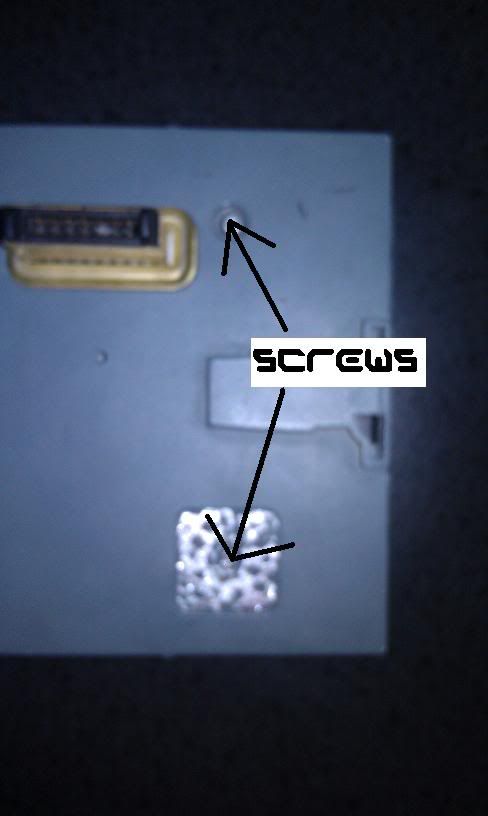
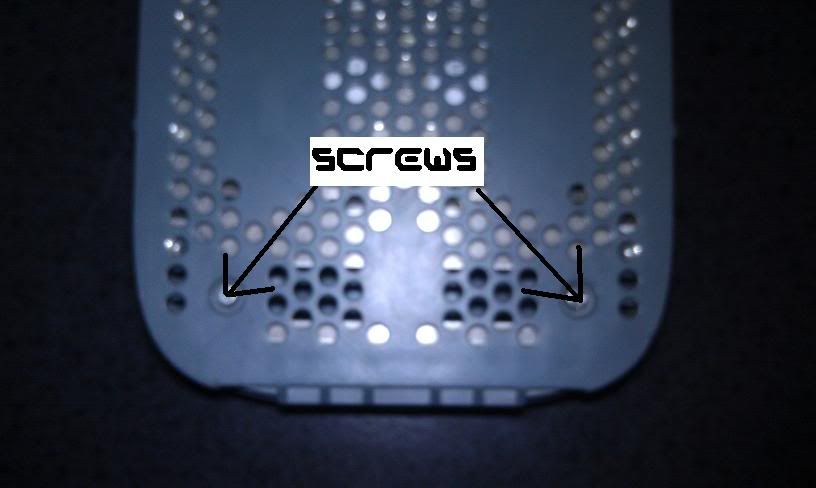
Remove the 4 Screws on the Bottom of the Fat Xbox 360 Hard Drive with the T6
STEP 2:
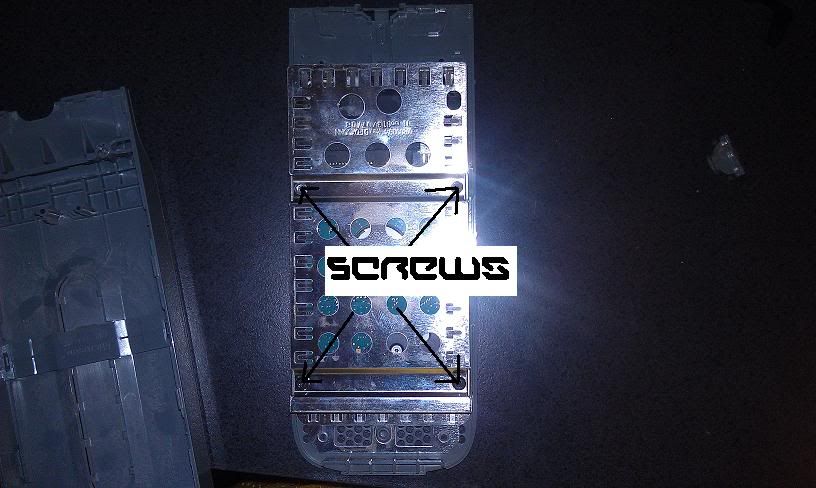
Take off Cover and remove the next 4 Screws with the T10
STEP 3:
Posted Image
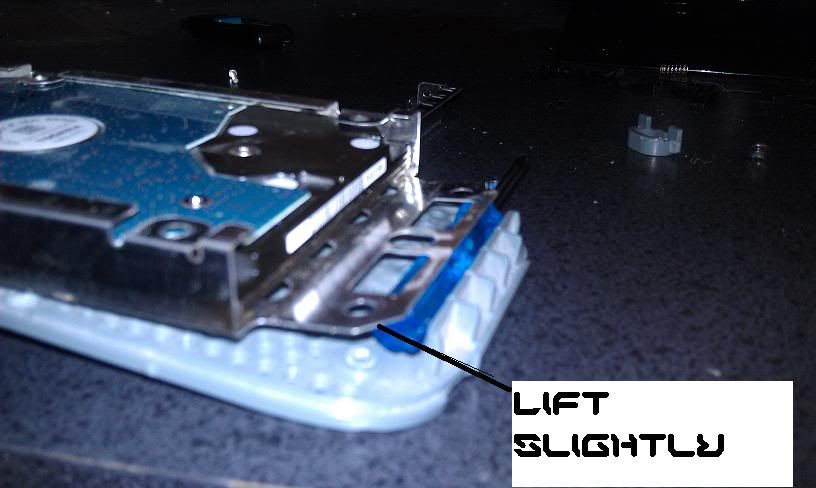
Lift the back part of the hard drive up so it will let you slide the hard drive out without damaging it
STEP 4:
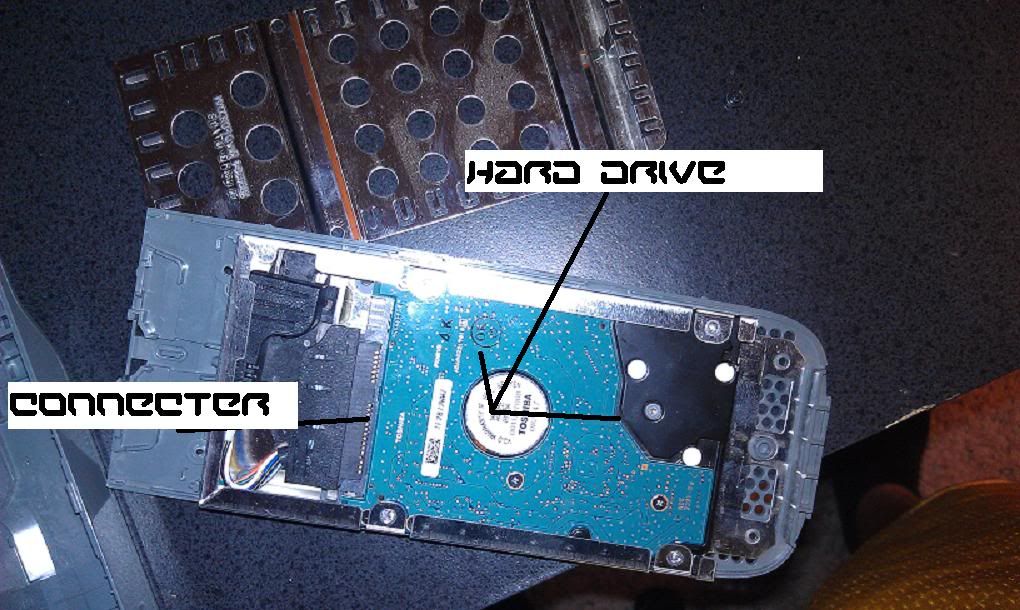
Disconnect the Connector from the Hard Drive and Slide the hard Drive out carefully
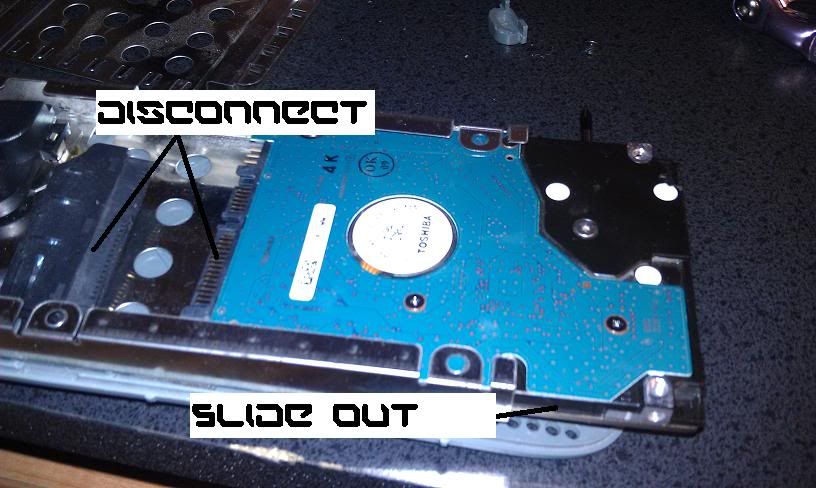
now you should have just your hard drive available
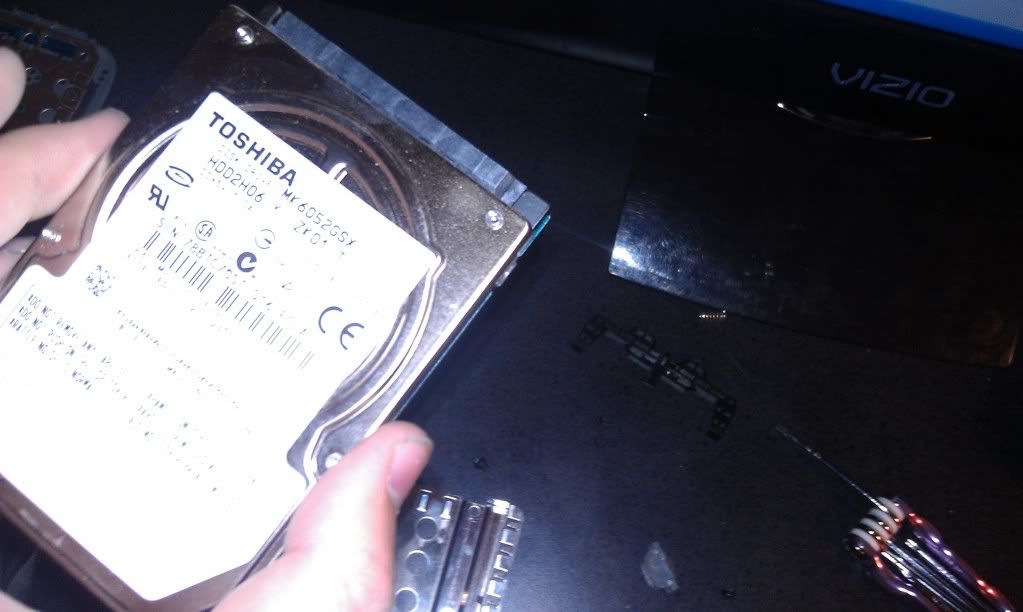
STEP 5:
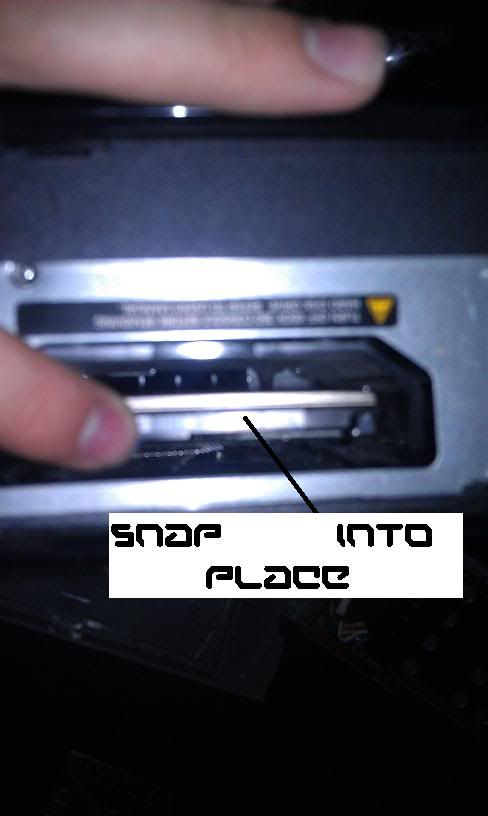
Now you want to align your connectors up with the ones on the inside of the Slim Console
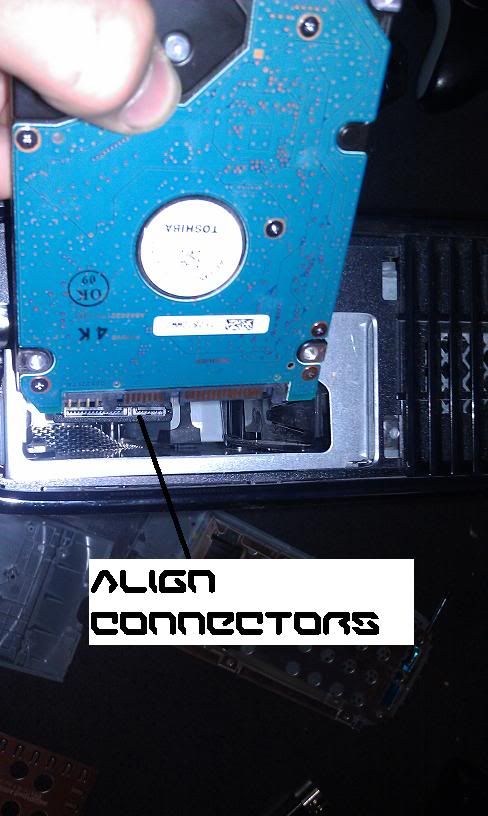
Now you want to Snap the hard drive into place by aplying pressure to the hard drive till the connectors are connected dont apply to much pressure tho
STEP 6:
Then you want to load up your Xbox 360 Slim and go to System settings and memory to check if its there.
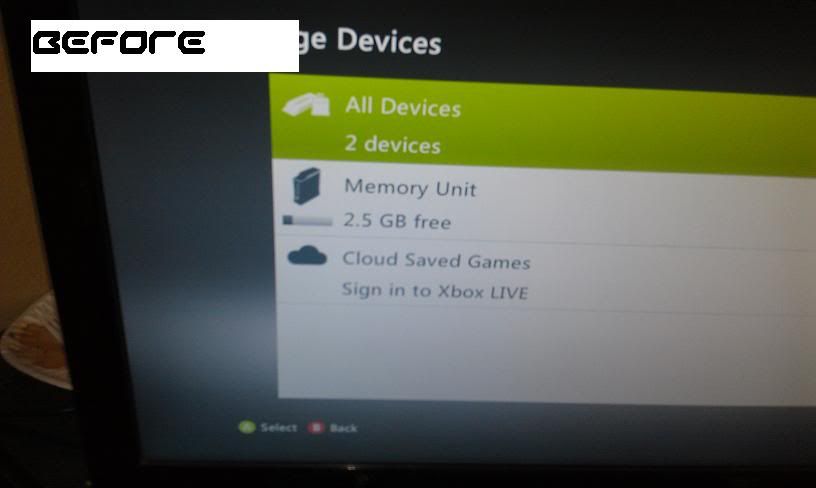
and then you should see the hard drive with the microsoft name on the option.

Now your all done and you have more memory for your Xbox Slim and you dont have to spend 200 bucks on a new 120 or something
:thumbsup:
T6 and T10 Security Screwdriver
Xbox 360 Slim
Fat Xbox 360 Hard Drive
A Brain
STEP 1:
Remove the 4 Screws on the Bottom of the Fat Xbox 360 Hard Drive with the T6
STEP 2:
Take off Cover and remove the next 4 Screws with the T10
STEP 3:
Posted Image
Lift the back part of the hard drive up so it will let you slide the hard drive out without damaging it
STEP 4:
Disconnect the Connector from the Hard Drive and Slide the hard Drive out carefully
now you should have just your hard drive available
STEP 5:
Now you want to align your connectors up with the ones on the inside of the Slim Console
Now you want to Snap the hard drive into place by aplying pressure to the hard drive till the connectors are connected dont apply to much pressure tho
STEP 6:
Then you want to load up your Xbox 360 Slim and go to System settings and memory to check if its there.
and then you should see the hard drive with the microsoft name on the option.
Now your all done and you have more memory for your Xbox Slim and you dont have to spend 200 bucks on a new 120 or something
:thumbsup: