

Simple E-mail Sender in Visual Basic 10
Hey guys here is SD8Z, with this simple tutorial, took me around 10 minutes to do it.
This is how to make a simple e-mail sender in Visual Basic 10/8 (they are the same).
This is a very basic code and very easy to do thing.
Follow the instructions and the screenshots for extra help.
Ok let's start.
1. First make a new project and name it however you want:
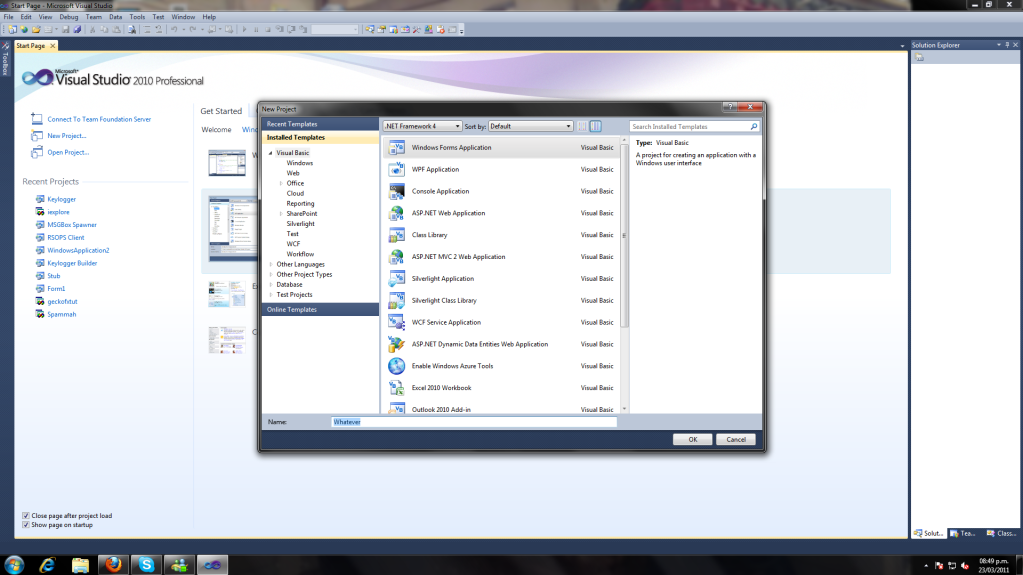
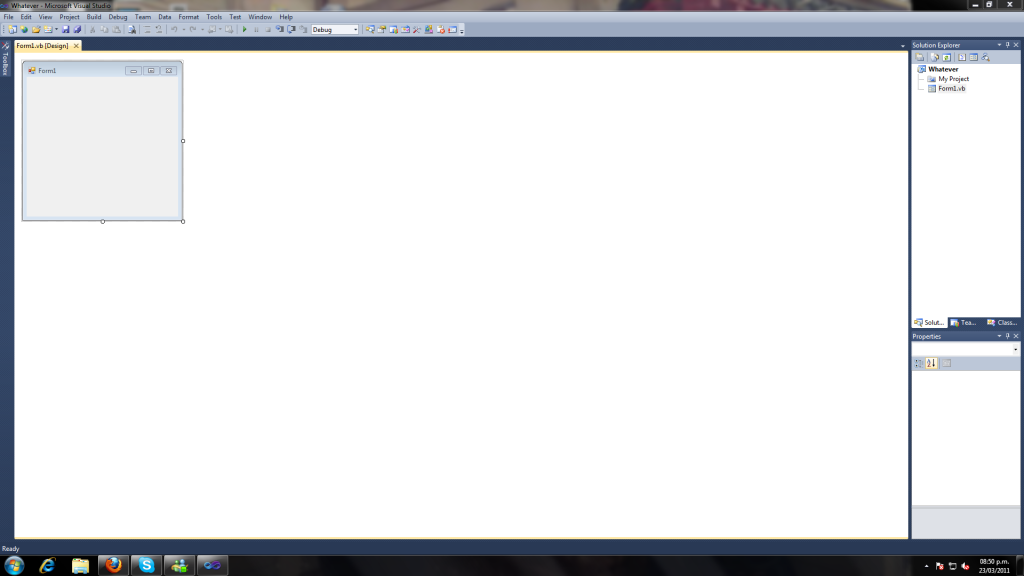
2. Now you will have a form like this:
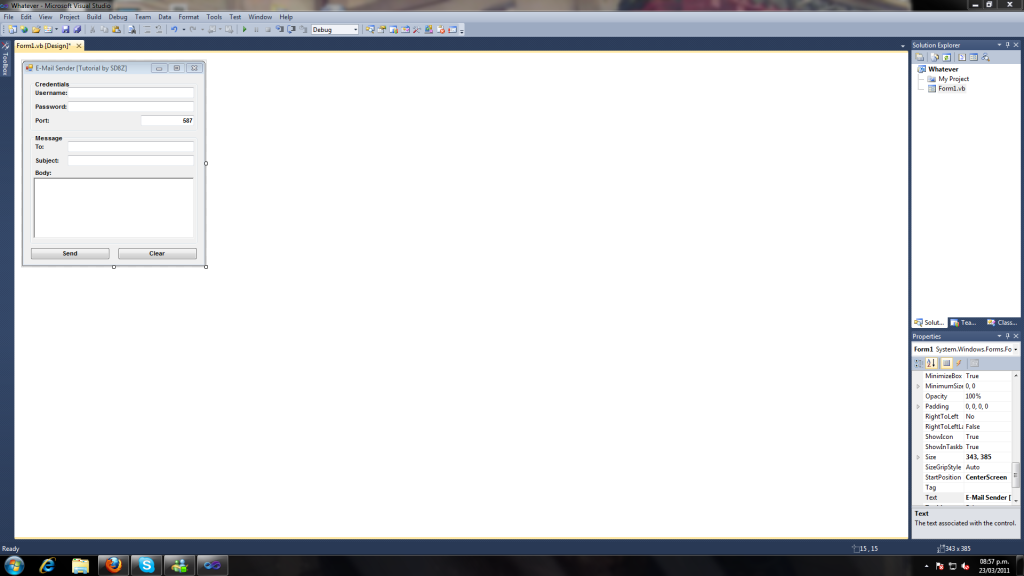
3. Edit it however you want and have something looking like this:
~~~~~~~~~~~~~~~~~
IMPORTAT STEP HERE, I GAVE EACH TEXTBOX A DIFFERENT NAME THAN THE DEFAULT (TEXTBOX1/2/3 ETC) IF YOU DID NOT DO THIS, THEN YOU HAVE TO CHANGE IT A LITTLE BIT.
~~~~~~~~~~~~~~~~~
4. Now double click the send button and put this code:
Code:
Dim vbMailMessage As New MailMessage
        Dim FX As New System.Net.WebClient
        vbMailMessage.From = New MailAddress(txtUsername.Text)
        vbMailMessage.To.Add(txtTo.Text)
        vbMailMessage.Subject = txtSubject.Text
        FX.Dispose()
        vbMailMessage.Body = rtbBody.Text
        Dim SMTPSettings As New SmtpClient(txtSMTP.Text)
        SMTPSettings.Port = txtPort.Text
        SMTPSettings.Credentials = New System.Net.NetworkCredential(txtUsername.Text, txtPassword.Text)
        SMTPSettings.EnableSsl = True
        Try
            SMTPSettings.Send(vbMailMessage)
            MsgBox("Message successfully sent!", MsgBoxStyle.Information, "Message Sent!")
        Catch ex As SmtpException
            MsgBox("Message couldn't be sent!", MsgBoxStyle.Critical, "Sending Error!")
        End Try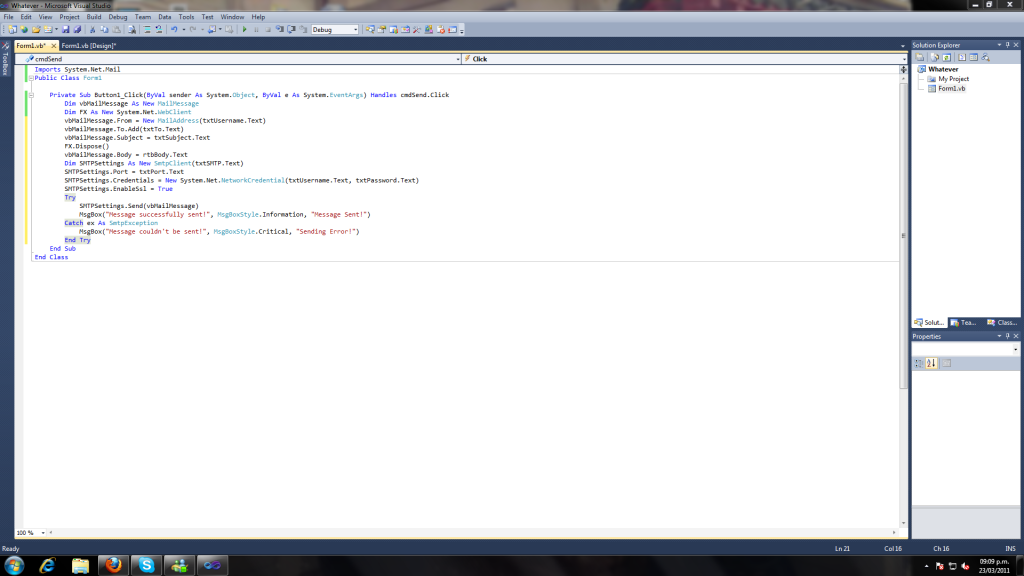
5. Go back to your form and double click the "Clear" button, and put this code:
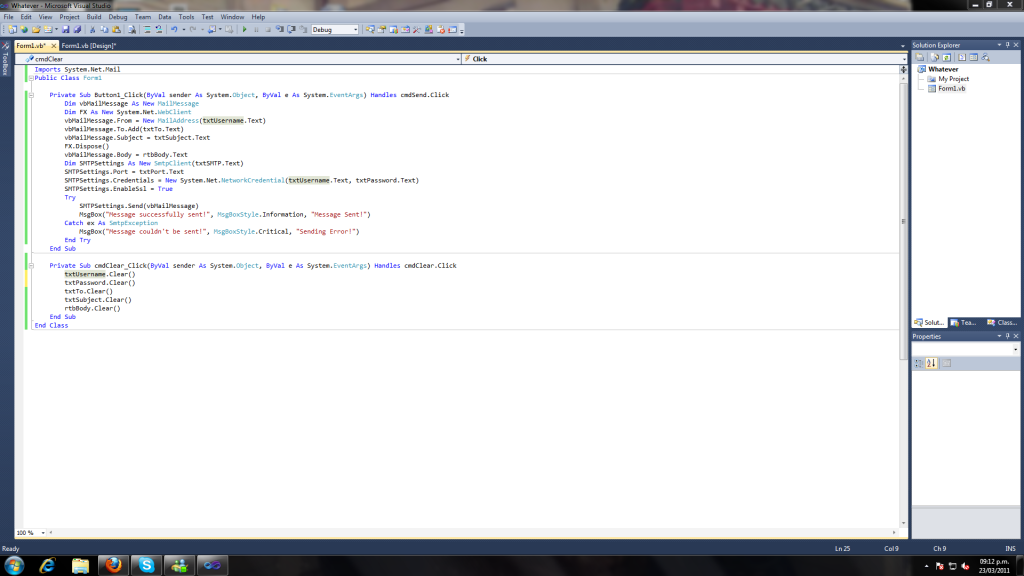
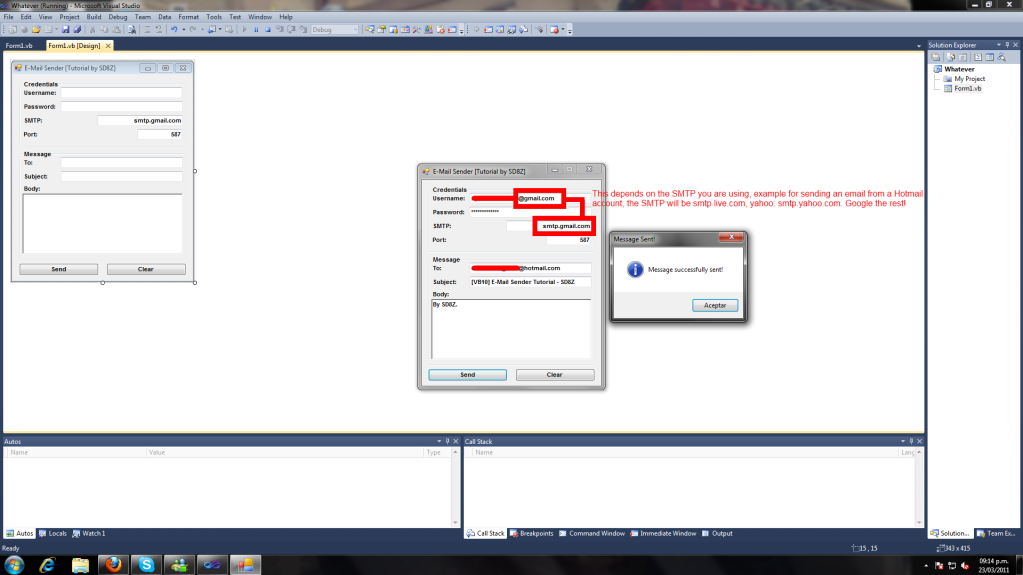
6. Now it is time for testing it! If you did all correct, you should end with something like this:
So that was a simple tutorial, I might make another one telling you how to turn this into a bomber.
Please leave your thoughts here!


