Hex Editor : Kayne and Lynch 2 money tut
Download Hex Workshop from here: Downloads from BreakPoint Software, Inc.
http://www.bpsoft.com/downloads/
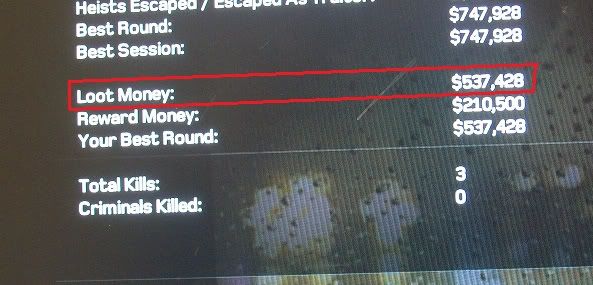
First you need to go into your game and find the value you want to mod. I'm using Kane and Lynch 2 and I'm modding "Loot Money" in this tutorial.
=+=
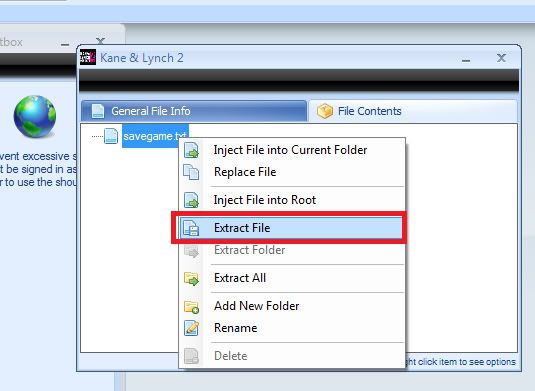
Now transfer your save to your PC, open with Modio and extract the savedata from the CON file.
=+=
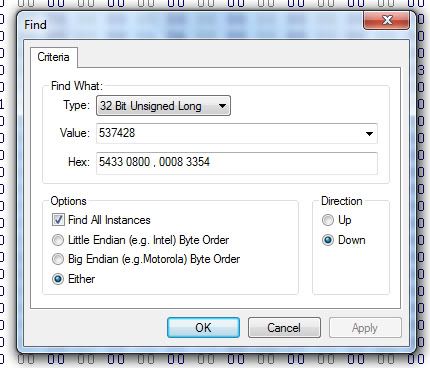
Next, open that extracted file in Hex Workshop and search for that value with the following settings.
=+=
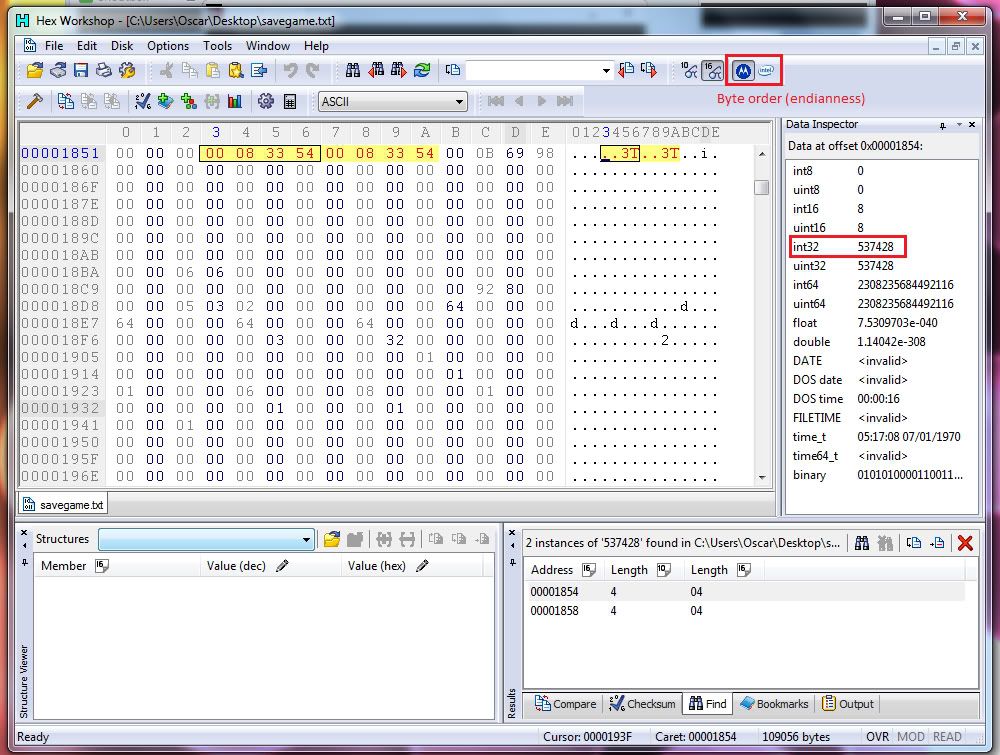
You should see one or more results. I have 2 as both "Loot Money" and "Best Round" are the same values. Now you need to select the results and click the byte order icons until you get the value you searched for come up in the "Int32" section on the right sidebar.
=+=
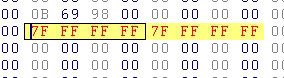
Click on the "Int32" section to change the value, you can now change that value to anything up to 2,147,483,647. (The max value for int32)
Once you've entered the value you want to change it to, hit enter and you should see the hex values change like so:
=+=
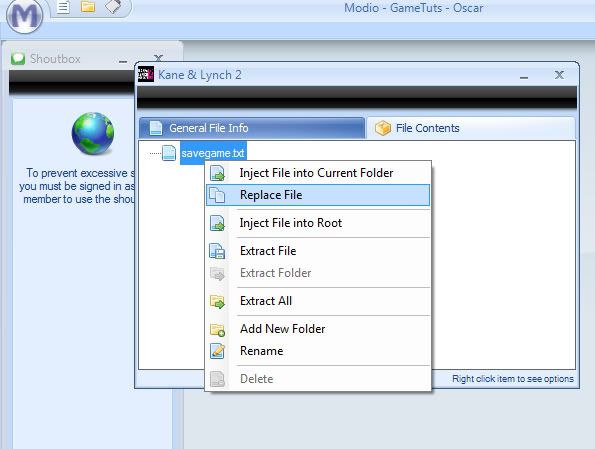
Now all you need to do is reinject the savedata back into the CON file, rehash/resign and transfer back.
Hex editor can be used for different mods such as gamerscore , avatar colour , clothes , themes etc, I hope this tutorial helped, HMU if their are any questions that are concerned.
Download Hex Workshop from here: Downloads from BreakPoint Software, Inc.
http://www.bpsoft.com/downloads/
First you need to go into your game and find the value you want to mod. I'm using Kane and Lynch 2 and I'm modding "Loot Money" in this tutorial.
=+=
Now transfer your save to your PC, open with Modio and extract the savedata from the CON file.
=+=
Next, open that extracted file in Hex Workshop and search for that value with the following settings.
=+=
You should see one or more results. I have 2 as both "Loot Money" and "Best Round" are the same values. Now you need to select the results and click the byte order icons until you get the value you searched for come up in the "Int32" section on the right sidebar.
=+=
Click on the "Int32" section to change the value, you can now change that value to anything up to 2,147,483,647. (The max value for int32)
Once you've entered the value you want to change it to, hit enter and you should see the hex values change like so:
=+=
Now all you need to do is reinject the savedata back into the CON file, rehash/resign and transfer back.
Hex editor can be used for different mods such as gamerscore , avatar colour , clothes , themes etc, I hope this tutorial helped, HMU if their are any questions that are concerned.