



Psst, you! Yes… you…
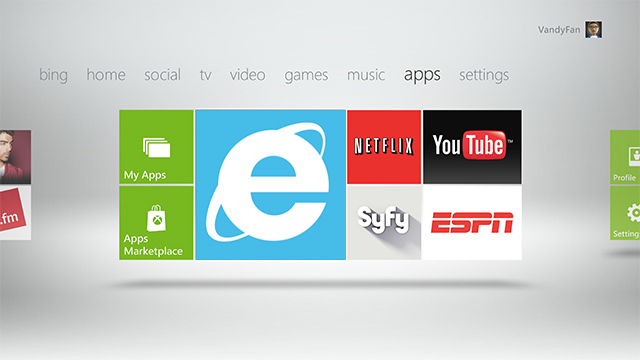
Ever thought of browsing the Internet from you Xbox 360 console? Well, good news! With Microsoft’s newly release Xbox 360 ‘Fall Dashboard Update 2012‘, now you can! Although only browsable via Internet Explorer (wait, put away the shotgun), Microsoft has created a browser of beauty (NO! We’re not talking about Google Chrome) to enhance your Xbox Live experience. Let’s take a look at what to expect when the update hits your' console.
It was only a matter of time before Microsoft whipped up an Internet Explorer (browser) application for Xbox 360, and I must say, what an application that has become. I was accepted for Microsoft’s Fall Dashboard Update Beta – a real chance to get an insight as to what was coming this fall. Now that the dashboard-update has began to roll-out, I can finally submit my final review to that beautiful thing we call the Internet.
The Basics:
The application itself is a very small download, only 110MB, therefore a quick flick of the kettle and I was greeted by the site of Internet Explorer’s ‘Web Hub’. The first noticeable feature of the application is the GUI, as it is very eye pleasing… not that there is much to it, as all it contains is a keypad and address bar, but none-the-less, still a great looking application.
The Examination:
What’s the first website a man like myself would visit? Well, pornhu… I mean Forum Korner of course! Browsing speed is acceptable and I was pleased with how fast I was able to view my favourite forum. Loading times can vary dependent on which URL you are visiting, but all-in-all, everything seemed to load very smoothly.
You control everything with a cursor, just as you would when using a normal PC, although it can be rather challenging to master at first as you’re using a left and right thumbstick, therefore mastering which speed to move your thumbsticks and in-which direction you must point them in can be a little tricky at first, but after an hour or so of usage, I was browsing the web quit contently.
It was only a matter of time before Microsoft whipped up an Internet Explorer (browser) application for Xbox 360, and I must say, what an application that has become. I was accepted for Microsoft’s Fall Dashboard Update Beta – a real chance to get an insight as to what was coming this fall. Now that the dashboard-update has began to roll-out, I can finally submit my final review to that beautiful thing we call the Internet.
The Basics:
The application itself is a very small download, only 110MB, therefore a quick flick of the kettle and I was greeted by the site of Internet Explorer’s ‘Web Hub’. The first noticeable feature of the application is the GUI, as it is very eye pleasing… not that there is much to it, as all it contains is a keypad and address bar, but none-the-less, still a great looking application.
The Examination:
What’s the first website a man like myself would visit? Well, pornhu… I mean Forum Korner of course! Browsing speed is acceptable and I was pleased with how fast I was able to view my favourite forum. Loading times can vary dependent on which URL you are visiting, but all-in-all, everything seemed to load very smoothly.
You control everything with a cursor, just as you would when using a normal PC, although it can be rather challenging to master at first as you’re using a left and right thumbstick, therefore mastering which speed to move your thumbsticks and in-which direction you must point them in can be a little tricky at first, but after an hour or so of usage, I was browsing the web quit contently.
The Verdict:
With the ability to create a ‘Favourites’ folder, I feel Internet Explorer may replace my PC on ‘lazy days’. With future updates expected, I cannot wait to see how Internet Explorer will span out. With the update already rolling-out across various regions and if you haven't already received your new and improved dashboard, there isn't long to wait!
Article written and 'published' by Ross - Aspiring technology journalist.
Article written and 'published' by Ross - Aspiring technology journalist.





