
Although it's really basic, there are a lot of people who don't know the little things of programs that make life easier. Here I'll show you how to move and/or rotate characters individually in C4D.
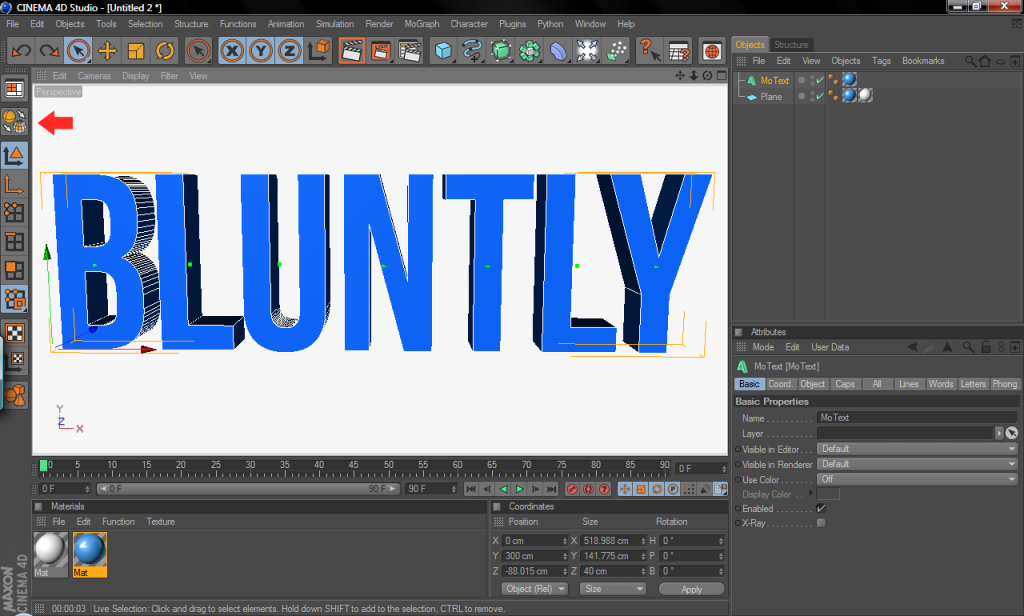
Here I have my Bluntly text (make sure it's selected), then click the Make Object Editable button. (or you can press the letter 'c' on your keyboard)
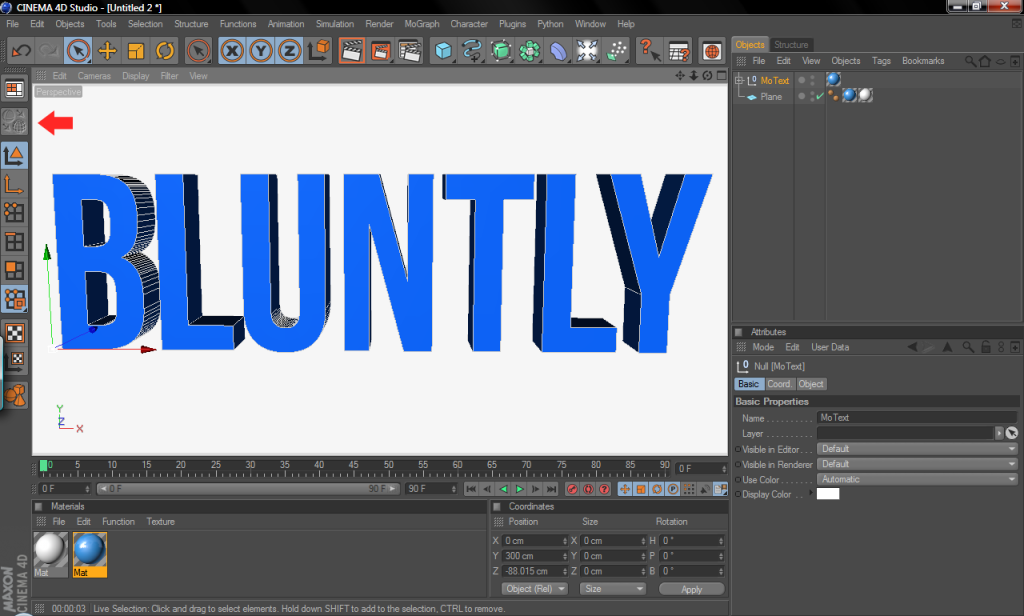
Notice once you do that the button is grayed-out.
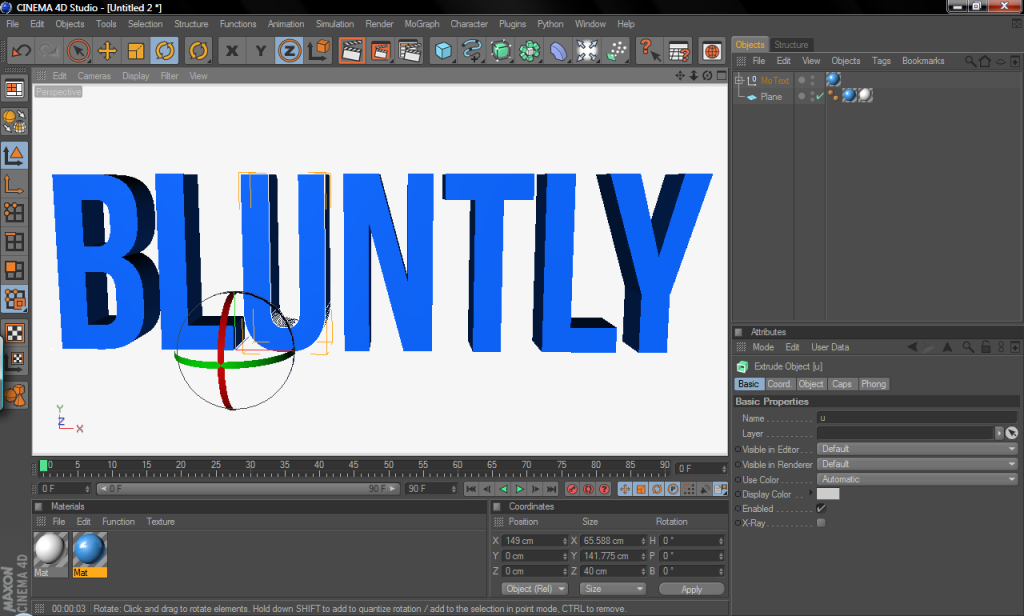
Now select the letter or character you want to rotate, here I clicked on the 'U' and notice that's the only thing that's selected.
Here you can see that only the U was rotated.
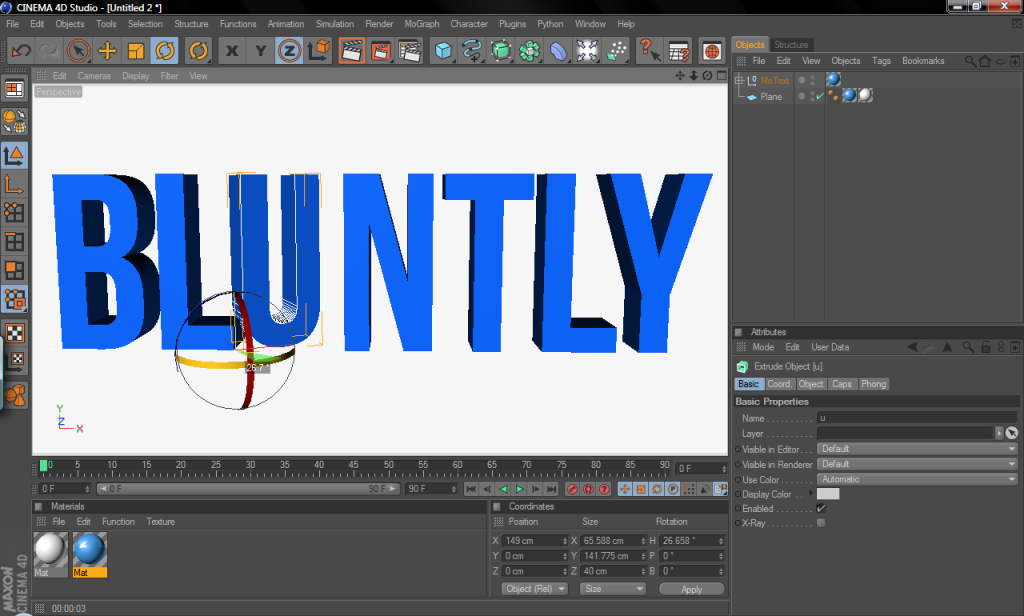
Same thing applies to the Move tool, you can see that I moved the N down from it's original place.
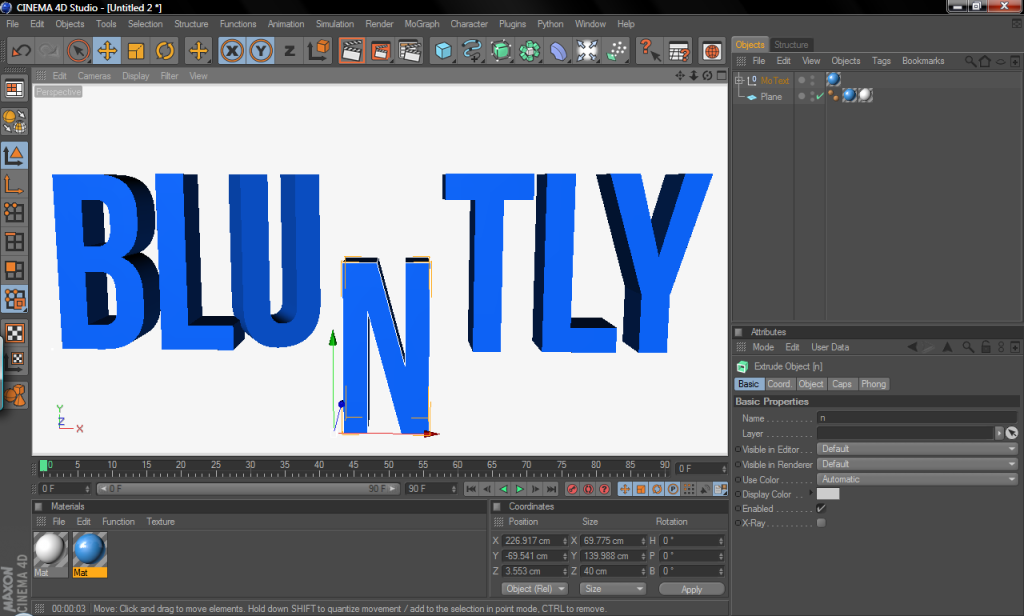
Now you can play around with it however you want by moving and rotating everything. Hope this helped
Here I have my Bluntly text (make sure it's selected), then click the Make Object Editable button. (or you can press the letter 'c' on your keyboard)
Notice once you do that the button is grayed-out.
Now select the letter or character you want to rotate, here I clicked on the 'U' and notice that's the only thing that's selected.
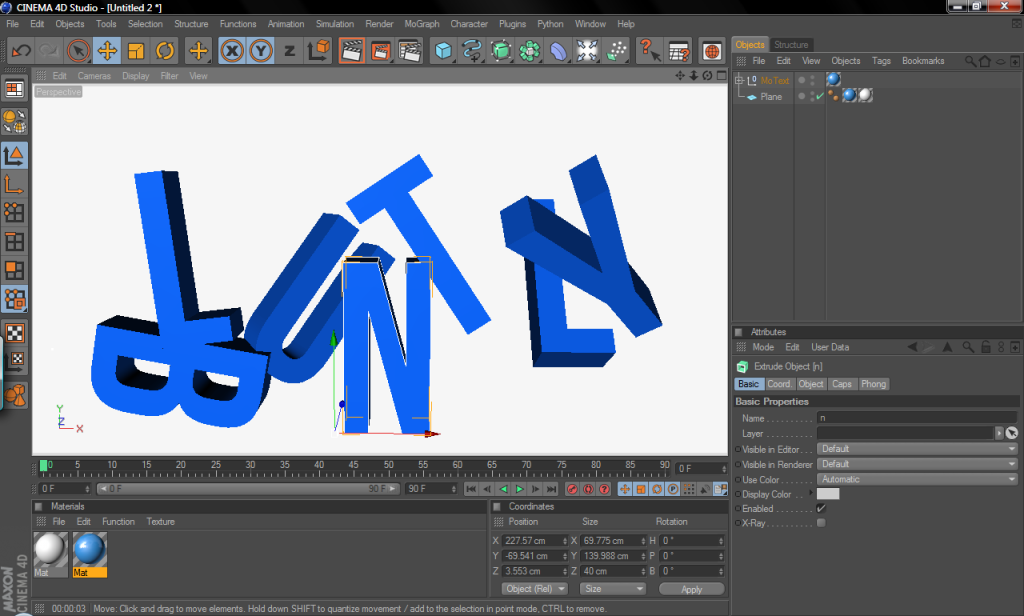
Here you can see that only the U was rotated.
Same thing applies to the Move tool, you can see that I moved the N down from it's original place.
Now you can play around with it however you want by moving and rotating everything. Hope this helped


