
Notice how in your work field you have bars on the side? That marks the end of your work space, thus cutting off the text once you render and forcing you to work in a smaller space.
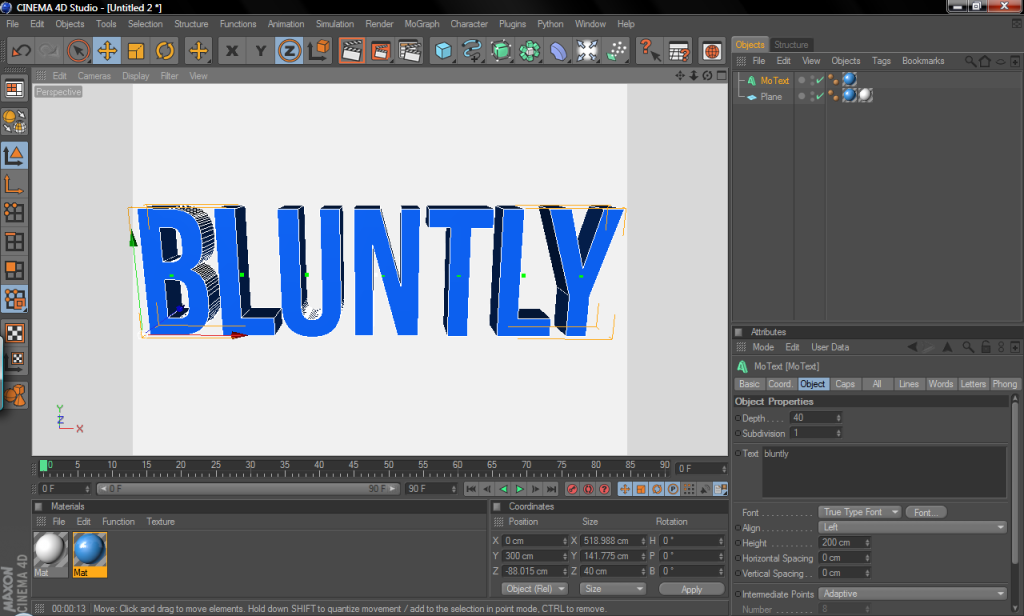
To fix this, press CTRL+B to bring up the Render Settings menu and click on output on the left-hand side.
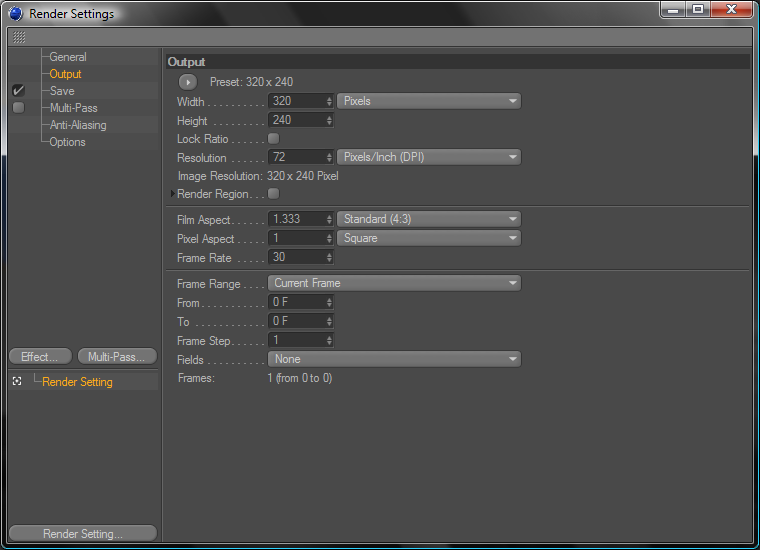
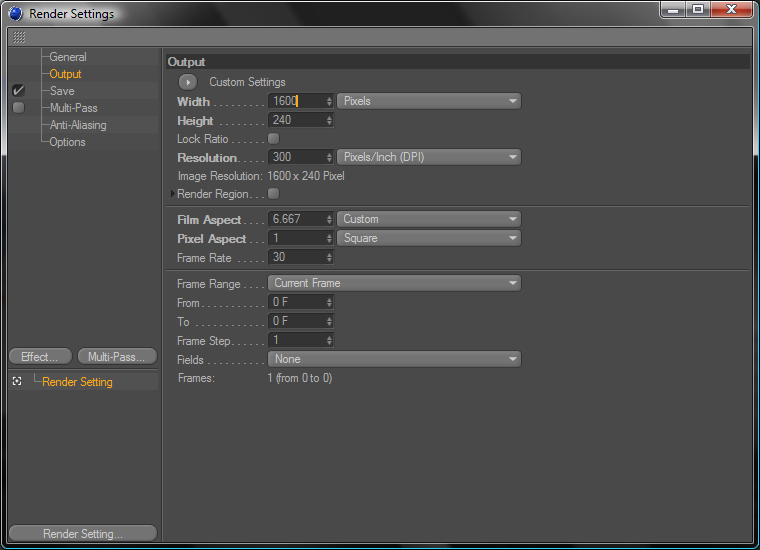
Where it says width, change that to 1600 and resolution to 300. DO NOT change the height!
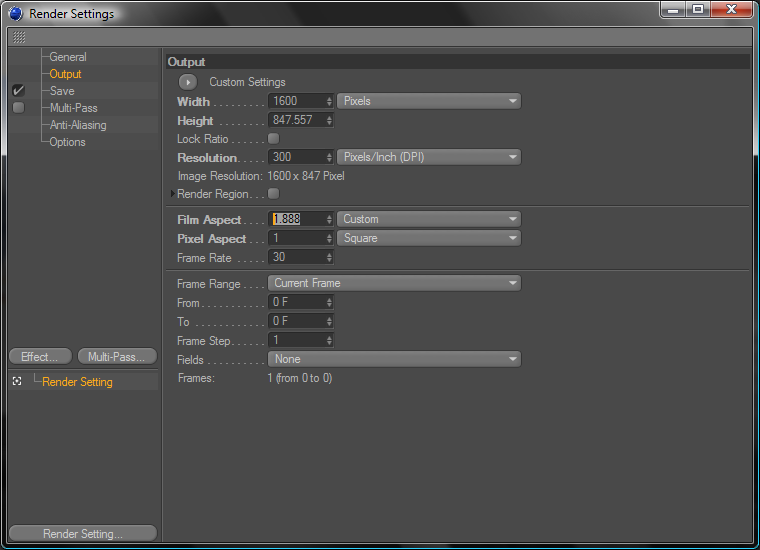
Look a little ways down to see where it says Film Aspect and type in 1.888 and press enter. Note the height changes on its own.
Hit 'X' on the Render Settings and voila! You have a full workspace for your gfx! Hope this helped
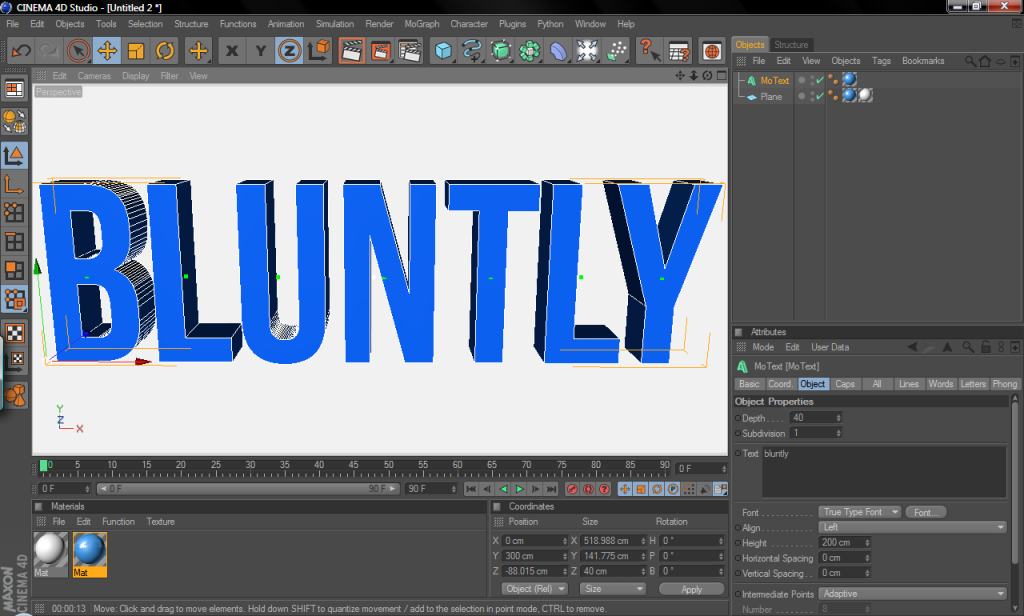
To fix this, press CTRL+B to bring up the Render Settings menu and click on output on the left-hand side.
Where it says width, change that to 1600 and resolution to 300. DO NOT change the height!
Look a little ways down to see where it says Film Aspect and type in 1.888 and press enter. Note the height changes on its own.
Hit 'X' on the Render Settings and voila! You have a full workspace for your gfx! Hope this helped


